How to Set Up Claude for Small Business Marketing (Projects, Skills & Workflow)
The Problem Most Small Businesses Have with AI
Most small businesses aren’t failing with AI because of the tools—they’re failing because of the setup.
They’re:
Using random prompts
Starting from scratch every time
Getting inconsistent outputs
Not building anything reusable
The result? AI feels helpful… but not transformational.
This is exactly what this setup solves.
The Simple Claude System That Actually Works
Instead of “just prompting,” you build a structured marketing system inside Claude:
1. One project per client (or business)
2. Clear context files (so Claude understands your business)
3. Reusable skills (so Claude knows how to think and act)
That’s it.
It’s not complicated—but it’s powerful.
Step 1: Create One Project Per Client
Inside Claude, set up:
Client Name – Marketing System
This becomes your single source of truth.
Why this matters:
No more re-explaining the business
Consistent outputs across content
Faster execution
Step 2: Add Your Core Context Files
This is where most people go wrong—they skip this.
You need to teach Claude your business properly.
Your core files:
brand_style.md → how the brand looks
tone_of_voice.md → how it sounds
customer_profile.md → who you’re targeting
offers_and_services.md → what you sell
content_examples.md → what “good” looks like
marketing_notes.md → what’s happening now
This is essentially your AI brain setup.
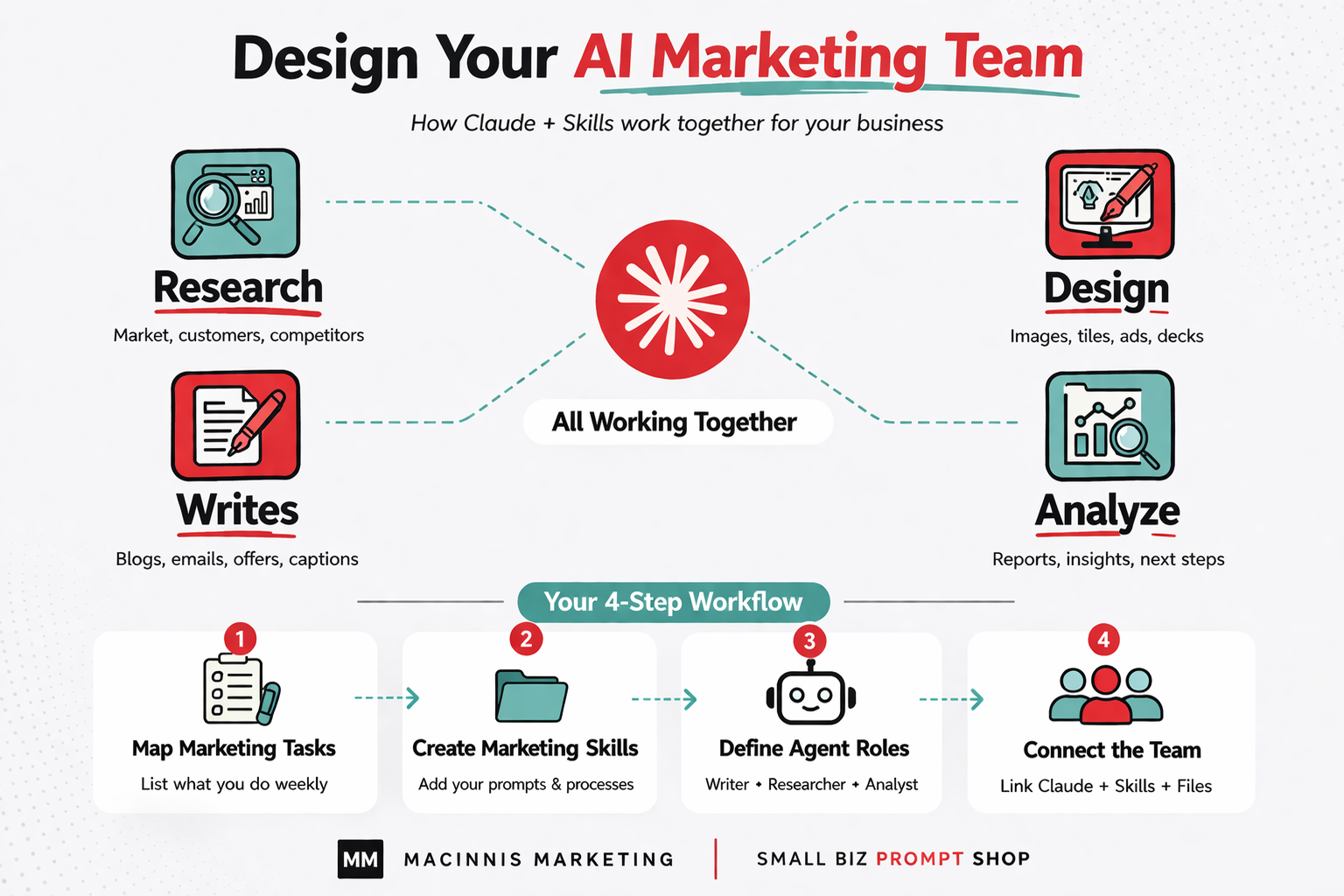
Step 3: Add Skills (This Is the Game-Changer)
Instead of writing prompts every time, you create reusable skills.
Think of these as your AI team.
Core skills to start with:
Content Writer
Marketing Research Assistant
Social Media Planner
Email Campaign Helper
Business Ideas & Offers Coach
Each skill:
Knows what to do
Follows a process
Produces structured outputs
This is where you stop “prompting” and start operating a system.
Step 4: Understand Claude vs Claude Code
This is critical—and most people misunderstand it.
Claude (Desktop / Chat)
Use it for:
Strategy
Content creation
Planning
Communication
Claude Code
Use it for:
File generation
Structured outputs
Bulk content
Website or system work
Simple rule:
Claude = thinking
Claude Code = doing at scale
Step 5: Run Real Marketing Tasks
Once set up, you can run actual workflows like:
Write a blog post
Create a social media pack
Launch an email campaign
Research competitors
Build a lead magnet
And importantly—Claude improves over time because it’s working from your system.
Step 6: Keep It Simple (Most People Overbuild This)
Here’s the trap to avoid:
Don’t try to build:
20 skills
50 files
A “perfect” system
Start with:
1 project
3–5 skills
Real work
Then refine.
The Big Shift: From Prompts to Systems
This setup moves you from:
❌ “Write me a post about X”
➡️ Random output
To:
✅ “Run Content Writer skill for this client”
➡️ Structured, on-brand, reusable output
That’s the difference between:
Using AI
Building an AI-powered marketing system
Practical Example
Instead of:
“Write a newsletter”
You now say:
“Use the Email Campaign Helper skill. Read project files. Create a campaign based on this offer.”
Claude:
Understands the brand
Uses your tone
Aligns with your audience
Produces a complete output
That’s leverage.
Final Thought
Most small businesses don’t need more AI tools.
They need:
Structure
Consistency
Reusable systems
Set this up once, and you stop starting from zero every time.
Your next step
Not sure where AI fits in your business yet?
Take the 2 minute AI Readiness Check. You get tailored next steps and a free resource based on your score.
Take the free check