The best AI tool for a small business is the one that knows your business. Pick one tool to build in, load it with your context (who you serve, how you write, what you sell) and give it most of your jobs. Use a second tool's free tier for second opinions. Don't pay twice for the same job.
Key takeaways
• The tool that holds your context gives better answers, whichever logo is on it.
• Pick your main tool by testing one real job in two tools and counting your corrections.
• If one tool does about 90% of your week, the other's free tier is usually enough.
• If your business already runs on Google Workspace or Microsoft 365, test the assistant built into it first.
• Re-test every six months. These tools change monthly, so date your decision.
Be honest. How many AI tools have you signed up for this year? ChatGPT, Claude, Gemini, that one your mate swore by, the free trial you forgot to cancel...
And how many do you actually use every week? For most small business owners I talk to, the answer is one. Maybe one and a half. The rest are tabs, subscriptions and guilt.
Here's the thing nobody selling AI tools will tell you: you don't need five. You need one you've set up properly.
Why do more AI tools make you slower, not faster?
Because every tool starts from zero. Each one has to be told who you are, who you serve and how you sound, every single time. Spread that across four tools and you spend more time explaining your business than running it.
It also scatters your best work. The great prompt is in one tool, the good draft is in another, and the brand notes live in a third. Nothing builds.
Earlier this year we suggested five AI tools worth testing in FY27. That still stands. Testing five is smart. Keeping five is expensive.
What does "one tool" actually mean?
One tool means one home base for your business context: the place that holds your memory, your files, your style guide and your connections to email or calendar. It gets every job that needs to know your business.
It doesn't mean you never open anything else. A second tool is handy for a second opinion, and some jobs (explaining a term, brainstorming ten headlines) don't need your context at all. The rule is simple: one tool holds the context, not which tool.
How do you pick the right one?
Don't pick from a feature list. Pick from your own week. Run the one-tool test:
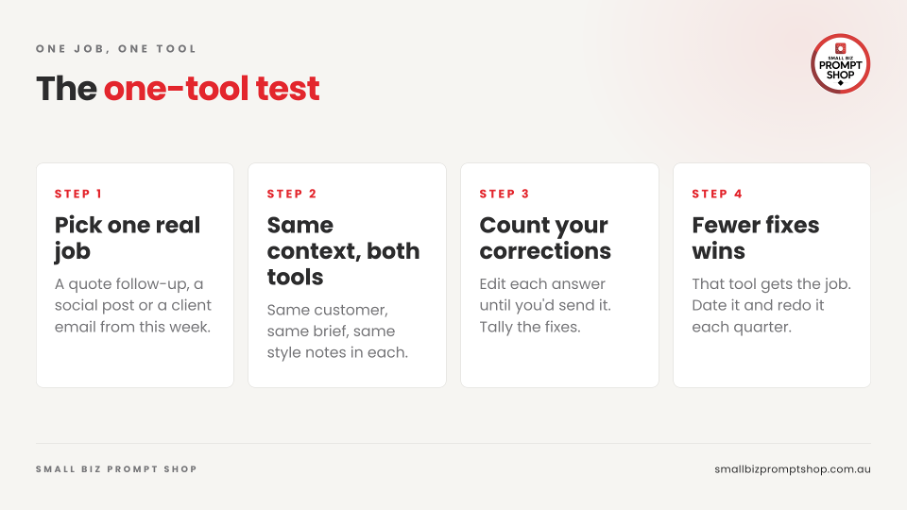
Alt text: The one-tool test in four steps: pick one real job, give both tools the same context, count your corrections, and the tool with fewer fixes wins.
1. Pick one real job from this week: a quote follow-up, a social post, a client email.
2. Give two tools the same context. Same customer, same brief, same style notes.
3. Correct each answer until you'd send it. Count the corrections.
4. Fewer corrections wins. That tool gets the job. Write the date next to your decision and redo it each quarter, because the answer moves.
One shortcut: start where your email and calendar connect most easily. A tool that can see your real work will beat a smarter tool that can't.
ChatGPT or Claude: which should a small business choose?
Either can be your home base. Here's my own split, as at September 2026. It's one marketer's desk, not a benchmark:
The job
What I use
Why
Client email or proposal
Claude
It holds my tone, past proposals and inbox
Blog draft in my voice
Claude
My style guide lives there
Photographic image
ChatGPT
Better photographic results in my set-up
Explain a term or acronym
Either
My business context adds nothing
Second opinion on a draft
The other one
Two readers, one draft
Numbers I sign off on
Neither
I check these myself
I started in ChatGPT. It's very easy to pick up, and it's still my go-to for research and a different point of view. Claude rewards set-up, and that's where my scheduled tasks and agents now live. Claude wins for me because the set-up is already there, not because it beat ChatGPT. You could build the whole thing in ChatGPT instead. If you're leaning Claude, our post on Claude for Small Business covers which features are worth switching on in Australia.
And if your business already runs on Google Workspace or Microsoft 365, test what's built in first. Google says Gemini is woven into Gmail, Docs and Sheets, and Microsoft puts Copilot inside its 365 apps. The best tool might be one you're already paying for.
Do you need to pay for more than one?
Usually not. Don't pay twice for the same job. If one tool does 90% of your week, the other one's free tier is normally plenty for second opinions.
Upgrade when you can name the job a paid plan will do, not because a launch made you nervous. (We said the same about ChatGPT Dots.)
What should you put into your one tool first?
This is the bit that makes the difference. Load these in once and every answer improves:
• A short business brief: what you sell, who buys it, where you are.
• Your voice file: how you write, with good and bad examples. Here's how to build one.
• Your offers and prices, so it stops making them up.
• Your top ten customer questions and how you answer them.
Then brief it properly every time. The five-part brief works in any tool, which is the whole point. Your context travels with you, so if you ever switch, it's an afternoon's work, not a fresh start.
Our research round-up found that Australian small businesses aren't behind on AI tools. They're behind on everything underneath them. One tool, properly set up, is how you fix the underneath.
Frequently asked questions
What is the best AI tool for a small business?
The best AI tool is the one that holds your business context: your customers, your voice, your offers and your files. ChatGPT and Claude can both do the job well. Pick one, set it up properly and test it on your real work.
Should a small business use ChatGPT or Claude?
Either can work as your main tool. Run the same real job through both with the same context, count how many corrections each answer needs, and keep the one you correct less. Re-test every six months because both tools change often.
Do I need to pay for more than one AI tool?
Usually not. If one tool does most of your week, the free tier of a second tool is normally enough for second opinions. Pay for a second plan only when you can name the job it will do.
What should I set up first in my AI tool?
Start with a short business brief, a voice file showing how you write, your offers and prices, and your most common customer questions. Load them once so every answer starts from your business, not from zero.
Where to from here?
Next step: not sure which tool, or where to start setting it up? Take the free AI Quiz. It takes a few minutes and tells you what to fix first, whether that's your tool, your context or your prompts. Want the cards from this post? The Comparison Card and the Job-to-Tool Card are on the podcast page with episode 8.